✨ Introduction: Evolving Our Automation
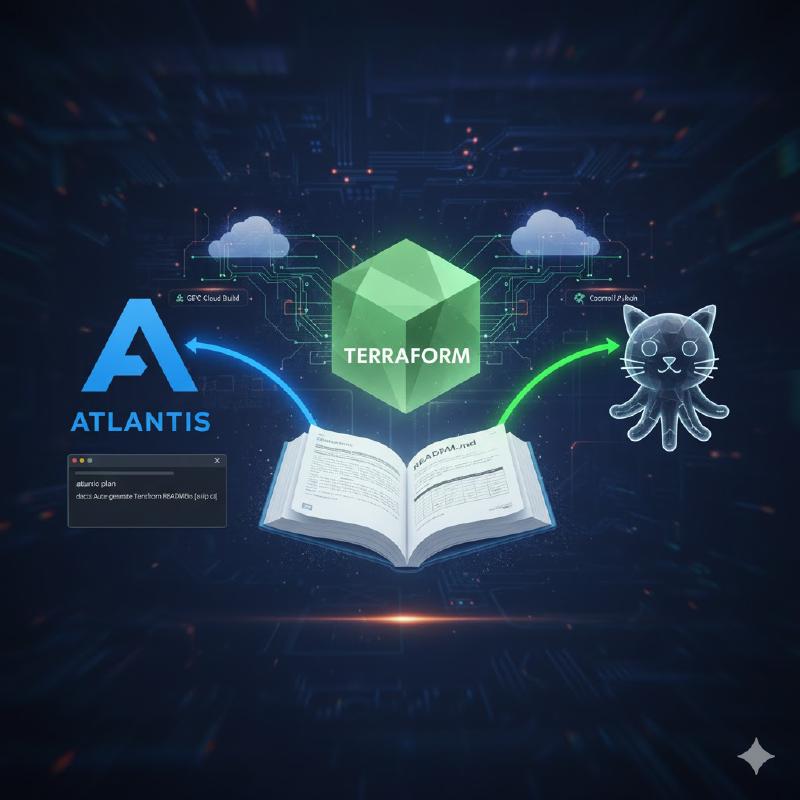
We previously used a dedicated GCP Cloud Build pipeline to run terraform-docs and commit changes back to GitHub. While functional, it was a separate system, introducing latency and complexity. The goal was simple: make documentation generation part of the core GitOps workflow.
We achieved this by integrating the terraform-docs binary directly into our custom Atlantis Docker image and triggering the documentation update as the first step of our atlantis plan workflow. This is faster, cleaner, and more robust!
(Note: For an introduction to Atlantis, see [https://www.runatlantis.io/] OR Atlantis GitHub repo.)
⚙️ The New Architecture: Atlantis Native
We moved the entire automation pipeline inside the Atlantis execution environment. The key changes are:
Custom Image: The terraform-docs binary is now installed once into the Atlantis image.
Workflow Hook: A dedicated shell script (terraform-docs-atlantis-workflow.sh) is executed in the plan phase of our atlantis.yaml.
Authentication: The script leverages the existing Atlantis environment variables ($ATLANTIS_GH_TOKEN) for secure HTTPS authentication, eliminating the need for external Secret Manager volumes and SSH configuration.
🐳 Step 1: Building the Custom Atlantis Image
The new multi-stage Dockerfile is focused on injecting the necessary tool into the official base image, keeping the final deployment lightweight and stable.
Dockerfile (Simplified)
We build the terraform-docs binary in a builder stage and then copy the binary into our base Atlantis image:
 1
 2
 3
 4
 5
 6
 7
 8
 9
10
11
12
13
14
15
16
17
18
19
20
21
| FROM alpine:3.20 AS builder
ARG TERRAFORM_DOCS_VERSION=0.20.0
ARG TERRAFORM_DOCS_ARCH=amd64
RUN apk add --no-cache curl
RUN curl -L -s --output terraform-docs.tar.gz "https://github.com/terraform-docs/terraform-docs/releases/download/v${TERRAFORM_DOCS_VERSION}/terraform-docs-v${TERRAFORM_DOCS_VERSION}-linux-${TERRAFORM_DOCS_ARCH}.tar.gz" && \
tar -xzf terraform-docs.tar.gz && \
chmod +x terraform-docs && \
mv terraform-docs /usr/local/bin/terraform-docs
FROM <our-artifact-registry>/docker/atlantis:v0.36.0
# Switch to the root user to copy the binary into a system directory.
USER root
# Copy the terraform-docs binary from the builder stage.
COPY --from=builder /usr/local/bin/terraform-docs /usr/local/bin/terraform-docs
USER atlantis
|
Makefile
The custom Makefile handles fetching the base Atlantis image, building our new image, and pushing it to Artifact Registry:
 1
 2
 3
 4
 5
 6
 7
 8
 9
10
11
12
13
14
15
16
17
18
19
20
21
22
23
| _DOCKER_REPO := <our-artifact-registry>/docker
_DOCKER_IMAGE := $(_DOCKER_REPO)/atlantis:v0.36.0
_TERRAFORM_VERSION := 1.5.7
_ATLANTIS_VERSION := 0.36.0
.PHONY: build build-base push-base build-with-docs push-with-docs
build: build-base push-base build-with-docs push-with-docs
build-base:
git clone https://github.com/runatlantis/atlantis.git
cd atlantis/ && docker buildx build -f Dockerfile \
--build-arg ATLANTIS_VERSION=${_ATLANTIS_VERSION} \
--build-arg DEFAULT_TERRAFORM_VERSION=${_TERRAFORM_VERSION} \
--platform linux/amd64 -t $(_DOCKER_IMAGE) .
push-base:
docker push $(_DOCKER_IMAGE)
build-with-docs:
docker buildx build -f Dockerfile --platform linux/amd64 -t $(_DOCKER_IMAGE) .
push-with-docs:
docker push $(_DOCKER_IMAGE)
|
This one-time build process ensures every deployed Atlantis Pod has the tool ready to run instantly.
🛠️ Step 2: The Reusable Automation Script
The entire documentation logic is encapsulated in a single, reusable shell script (terraform-docs-atlantis-workflow.sh). This keeps our atlantis.yaml clean and guarantees a consistent execution environment.
 1
 2
 3
 4
 5
 6
 7
 8
 9
10
11
12
13
14
15
16
17
18
19
20
21
22
23
24
25
26
27
28
29
30
31
32
33
34
35
36
37
38
39
| #!/bin/bash
# This script is used by the atlantis workflow in the atlantis.yaml file
set -e
# Pathing: Finds the absolute repository root path, bypassing the dynamic PR number in the Atlantis workspace path.
# Fixes "No such file or directory" errors.
REPO_ROOT=$(git rev-parse --show-toplevel)
cd "$REPO_ROOT"
SEARCH_BASE="terraform/"
# --- PHASE 1: Find all directories that contain a variables.tf file under the base path
find "$SEARCH_BASE" -type f -name "variables.tf" ! -path "./.git/*" | \
xargs -n 1 dirname | \
sort -u | \
while read -r module_dir; do
if [ "$module_dir" != "." ]; then
echo "Generating docs for: $module_dir"
(cd "$module_dir" && terraform-docs markdown table . --output-file README.md)
else
echo "Skipping root directory."
fi
done
# --- PHASE 2: COMMIT AND PUSH CHANGES (Requires HTTPS Auth Fix) ---
if git diff --quiet -- "**/README.md"; then
echo "No documentation changes detected."
else
# Authentication: Forces Git to use HTTPS and injects the $ATLANTIS_GH_TOKEN directly into the URL.
git remote set-url origin "[YOUR_GITHUB_REPO_URL]"
git config --global user.name "[YOUR_GITHUB_USERNAME]"
git config --global user.email "[YOUR_GITHUB_EMAIL]"
git add "**/README.md"
git commit -m "docs: auto-generate terraform-docs [skip ci]"
echo "Documentation changes committed. Pushing to branch: $HEAD_BRANCH_NAME"
# Final Action: Pushes the new README.md commit back to the feature branch.
git push origin $HEAD_BRANCH_NAME
fi
|
🚀 Step 3: Integrating into Atlantis Workflow
In our atlantis.yaml, we simply execute the script within the plan phase of our workflow, right after initialization.
atlantis.yaml Workflow Snippet
 1
 2
 3
 4
 5
 6
 7
 8
 9
10
11
12
13
14
15
16
17
18
19
20
21
| org:
plan:
steps:
# 1. SSH/Initial cleanup (Legacy environment needs this)
- run: |
mkdir -p ~/.ssh
ssh-keyscan -t rsa github.com >> ~/.ssh/known_hosts
rm -rf .terraform*
# 2. Terraform Init
- run: terraform init -reconfigure
# 3. Execute the docs generation script
# NOTE: We use relative pathing to ensure the script is found.
- run: bash ../../../../scripts/terraform-docs/terraform-docs-atlantis-workflow.sh
# 4. Final Plan Execution
- run: terraform plan -no-color -input=false -lock=true -compact-warnings
apply:
steps:
- run: terraform apply --auto-approve -no-color -input=false -lock=true -compact-warnings
|
✅ Result & Benefits
The automation is now fully integrated and significantly better:
Zero Latency: The tool is already inside the container; no external Cloud Build environment spin-up needed.
Simpler Authentication: We now rely solely on the powerful, secure ATLANTIS_GH_TOKEN for all Git read/write operations.
Cleaner CI/CD: Our external Cloud Build files are gone, simplifying the overall platform infrastructure.
This small change has significantly reduced friction, making our module documentation consistently perfect and saving future-us valuable time. 🧘